
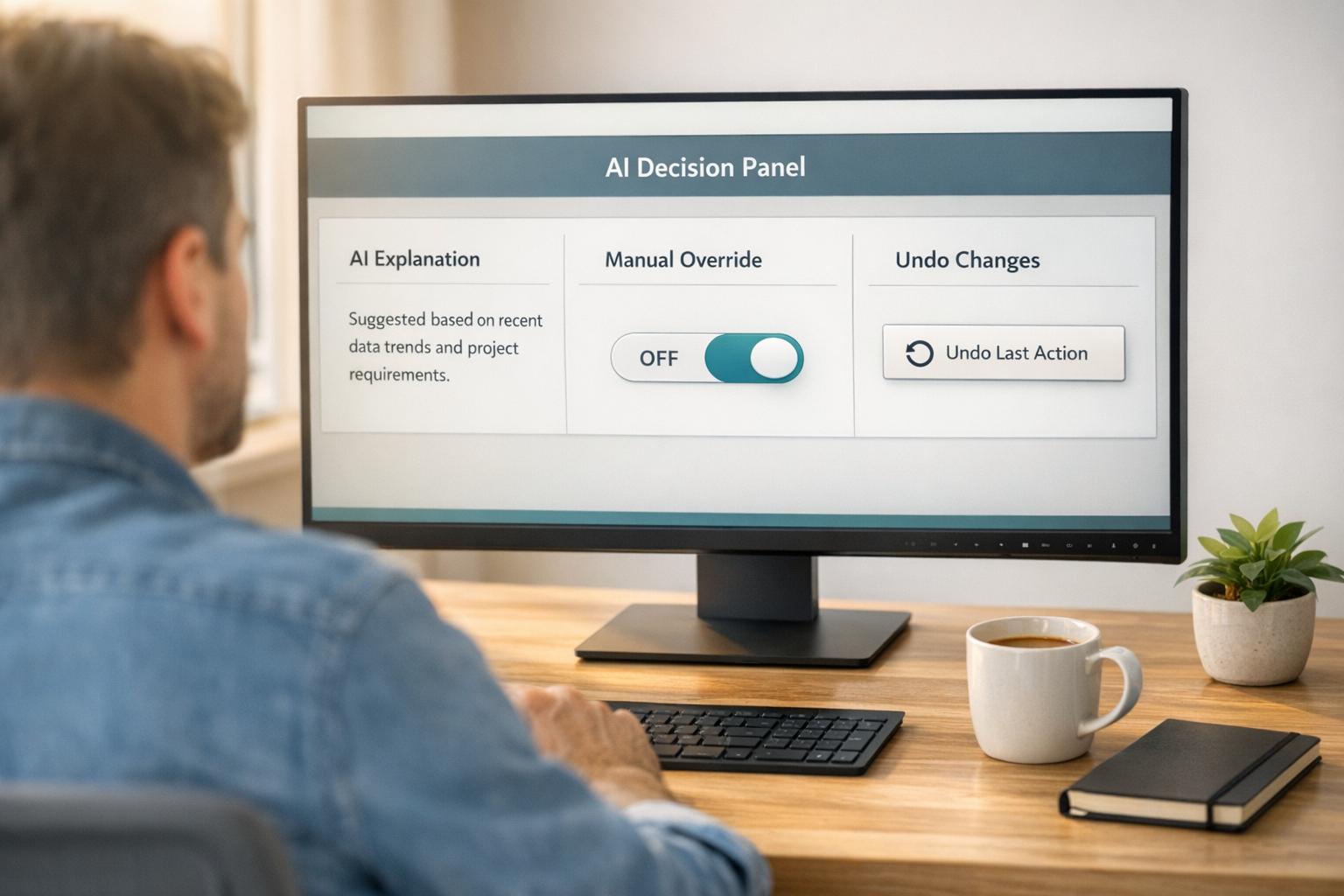
When AI becomes central to a product, user experience (UX) issues can make or break its success. While AI can automate tasks and improve efficiency, poorly designed interactions often lead to over-reliance, user frustration, or mistrust. Here’s a quick summary of the key challenges and solutions:
Key Challenges:
- Over-reliance on AI: Users may blindly trust AI outputs, even when they’re wrong, leading to errors and reduced critical thinking.
- Unclear interactions: AI’s decision-making can feel opaque, leaving users unsure about its reliability or how to evaluate it.
- Loss of trust during errors: Mistakes or biases in AI systems can severely damage user confidence, especially in high-stakes scenarios.
Solutions:
- Manual overrides: Let users adjust or reverse AI decisions to maintain control.
- Explainable AI: Provide simple, context-specific explanations for recommendations or outputs.
- Error recovery paths: Offer clear steps to fix mistakes and regain user trust.
- Human-AI collaboration: Combine AI’s strengths with human judgment for better decision-making.
By focusing on transparency, user control, and trust-building features, businesses can create AI workflows that empower users rather than alienate them.
UX for AI: Challenges, Principles and Methods with Greg Nudelman, Ep20
sbb-itb-51b9a02
Challenge 1: Too Much Reliance on AI Decisions
AI-driven systems often walk a fine line between automation and user control. When too much decision-making is left to AI, users can disengage entirely. This phenomenon, known as automation bias, occurs when users blindly trust AI outputs without verifying them. Poor system design can hide errors, leading people to accept incorrect AI suggestions as fact [2][6].
The stakes are high. In a February 2025 study by the University of Southern California, researchers examined how professional doctors used AI for medical diagnoses. They discovered that doctors with high trust in AI accepted 26% of incorrect diagnoses. To combat this, the researchers introduced "adaptive trust interventions", like counter-explanations when trust levels were excessive. These changes resulted in a 38% drop in inappropriate reliance and a 20% boost in decision accuracy [8].
But the risks extend beyond isolated mistakes. Over-reliance on AI can erode critical thinking and independent task performance. A 2023 study on AI writing assistants revealed that participants performed significantly worse when the AI support was removed. Rather than learning or improving their skills, they had simply offloaded their thinking to the AI [3]. This illustrates the cognitive risks of unchecked reliance on automation, highlighting the need for balanced AI design.
Why Users Need Manual Overrides
To keep users engaged and build trust, systems must allow manual overrides. When people can adjust or reverse AI decisions, they feel more in control and are more likely to understand and trust the system’s recommendations [5]. Microsoft’s AI Playbook puts it succinctly:
Overreliance on AI happens when users accept incorrect or incomplete AI outputs, typically because AI system design makes it difficult to spot errors [2].
The solution? Always provide users with control. This includes making AI-driven actions reversible, offering "undo" options, and allowing users to reduce automation when needed [7]. When users know they can step in and correct mistakes, they’re more likely to engage with the system confidently.
While manual overrides are a step in the right direction, over-automation still presents challenges.
How Over-Automation Affects Users
Unexpected or incorrect AI outputs can frustrate users, often leading them to abandon the product altogether [7][2]. Complicated explanations from the system can increase cognitive load, making users less likely to trust or comply with recommendations [5]. People don’t want to feel like passive monitors – they want to play an active role in the process. When interfaces limit their ability to contribute meaningfully, engagement drops, and errors become harder to catch [1]. Addressing these issues is essential to creating AI systems that prioritize user involvement and trust.
Challenge 2: Making AI Interactions Clear
As AI systems grow more advanced, they become increasingly difficult to evaluate [10]. Users often struggle to assess their accuracy or reliability, especially in areas outside their expertise. This is where the black-box problem comes into play – users can’t see how the AI arrives at its decisions, leaving them unsure about whether to trust its outputs.
This issue has real-world consequences. Studies reveal that users rarely click on citation links in AI chat interfaces, yet they tend to trust the information simply because it appears well-cited [13]. Megan Chan, Senior User Experience Specialist at Nielsen Norman Group, highlights this gap:
Explanation text in AI chat interfaces is intended to help users understand AI outputs, but current practices fall short of that goal [13].
Trust in AI hinges on two critical factors: competence (ability to perform well) and reliability (consistency over time). These qualities are communicated through "trust signals", such as explanations for decisions or confidence indicators that help users evaluate the AI’s certainty [10]. Without these signals, users are left in the dark, unable to effectively review recommendations or recognize when they’re dealing with AI "hallucinations" – outputs that are incorrect or misleading [11].
Explaining How AI Reaches Its Conclusions
Small, clear explanations can make a big difference. For instance, phrases like "Recommended because you liked [X]" or "I only have knowledge up to 2021" help simplify AI-driven decisions for users who may not have technical expertise [11]. These partial explanations focus on providing just enough insight to build trust without overwhelming users with overly technical details [14].
The level of explanation should match the situation. In high-stakes scenarios, such as medical decisions, users need detailed reasoning. In contrast, for low-stakes tasks like navigation, explanations might only be necessary when something unusual occurs, like a significant delay [14][16]. Google’s PAIR research team suggests combining general system explanations (how the system works overall, including the data it uses) with specific output explanations (why a particular recommendation was made) [14][15][16].
Tailored explanations are only part of the solution. Transparency about data sources – what’s collected and whether it’s personalized or aggregated – helps users make informed decisions [14][16]. Numeric confidence levels or "n-best" alternatives (showing multiple possible outcomes) can also give users a clearer sense of reliability [14][16]. Moreover, when AI’s advanced capabilities leave users feeling inadequate or unsure, explaining the reasoning behind suggestions can turn these moments into opportunities for learning and skill-building rather than dependency [10].
Building Confidence Through Consistent Behavior
Predictability is a cornerstone of user trust. When AI behaves consistently, users can form accurate mental models of how it works, reducing friction in their workflows. Deepak Saini, CEO at Nascenture, points out:
When businesses use hidden decision logic, this breaks users’ trust and frustrates them. UX developers should maintain transparency and user control so users know why certain suggestions appear [12].
A progressive disclosure approach works well here: start with simple explanations and offer "Learn more" options for users who want additional details [11]. Explanations, citations, and reasoning should be placed directly next to the AI’s output to minimize the effort users need to find context [13][14]. Using objective language like "This response is based on…" instead of "I think…" also helps manage user expectations about the AI’s capabilities [13].
Feedback loops, like "thumbs up/down" or rating systems, allow users to provide input and see how the AI evolves in response [10][11]. When mistakes happen, offering solutions – such as clarifying the input or providing manual overrides – prevents users from hitting a dead end and helps maintain their confidence in the system [11]. Even when things go wrong, this approach ensures users feel empowered and supported.
Challenge 3: Keeping User Trust When AI Makes Mistakes
AI systems work on probabilities, which means they rely on uncertain data and can’t promise flawless accuracy. This becomes especially critical in fields like healthcare or finance, where even a single error can lead to significant user distrust [16].
Take, for example, two high-profile cases. In October 2019, New York regulators launched an investigation into UnitedHealth Group after a Science study revealed racial bias in one of its healthcare algorithms. Similarly, in December 2020, a faulty facial recognition match led to a New Jersey man being wrongfully jailed for ten days [19]. These incidents highlight how AI errors can have serious consequences and shake public confidence.
As Reva Schwartz from NIST puts it:
Harmful outcomes, even if inadvertent, create significant challenges for cultivating public trust in artificial intelligence (AI) [19].
The real challenge lies not just in fixing individual mistakes, but in creating systems that maintain user trust – even when something goes wrong.
Reducing Bias in AI Systems
AI bias doesn’t just come from training data – it’s also influenced by the way humans interact with these systems. Grace Chang and Heidi Grant from Harvard Business Review explain:
Bias in AI isn’t just baked into the training data; it’s shaped by us and embedded in the broader ecosystem of human-AI interaction [18].
Human cognitive biases also play a role. For example, the halo effect can lead users to trust AI too much because it seems sophisticated, while the horns effect can cause them to lose faith entirely after a single mistake [18].
Amazon’s 2018 experience with an AI recruiting tool illustrates this issue. The tool, trained on a decade of male-dominated resumes, ended up penalizing applications that included the word “women’s.” Once the bias was discovered, the project was scrapped [19].
Addressing bias requires both technical and social solutions. On the technical side, regular audits of data and closer examination of noisy or unusual data are essential – don’t just discard it [20]. On the social side, user interfaces can include features like confirmation prompts or critiques of AI suggestions, encouraging users to double-check outputs. Techniques like pre-mortem analyses, where teams imagine potential failures in advance, can also help identify blind spots [18].
But reducing bias is only part of the solution. AI systems must also ensure users can recover quickly when mistakes happen.
Recovering from AI Errors
Once bias is addressed, the next step is creating clear recovery paths for when AI inevitably makes mistakes. Users need to know what went wrong, how to fix it, and how to regain control [22]. The team at Google’s People + AI Research group sums it up well:
The trick isn’t to avoid failure, but to find it and make it just as user-centered as the rest of your product [21].
In high-stakes situations, it’s crucial to include manual controls that allow users to manage errors without disrupting their workflow [21]. Features like undo options for specific changes, rather than resetting everything, can be helpful. Highlighting outputs with low confidence can also signal users to proceed with caution [2].
Feedback loops are another key tool. Allow users to flag or report errors, and ensure the system learns from this input [22]. In critical areas like healthcare, where errors can have severe consequences, prioritize precision by offering recommendations only when the model is highly confident. If the system can’t provide an answer due to data limitations, be transparent about this and offer alternative manual solutions.
Solutions: Designing AI Workflows Around Users
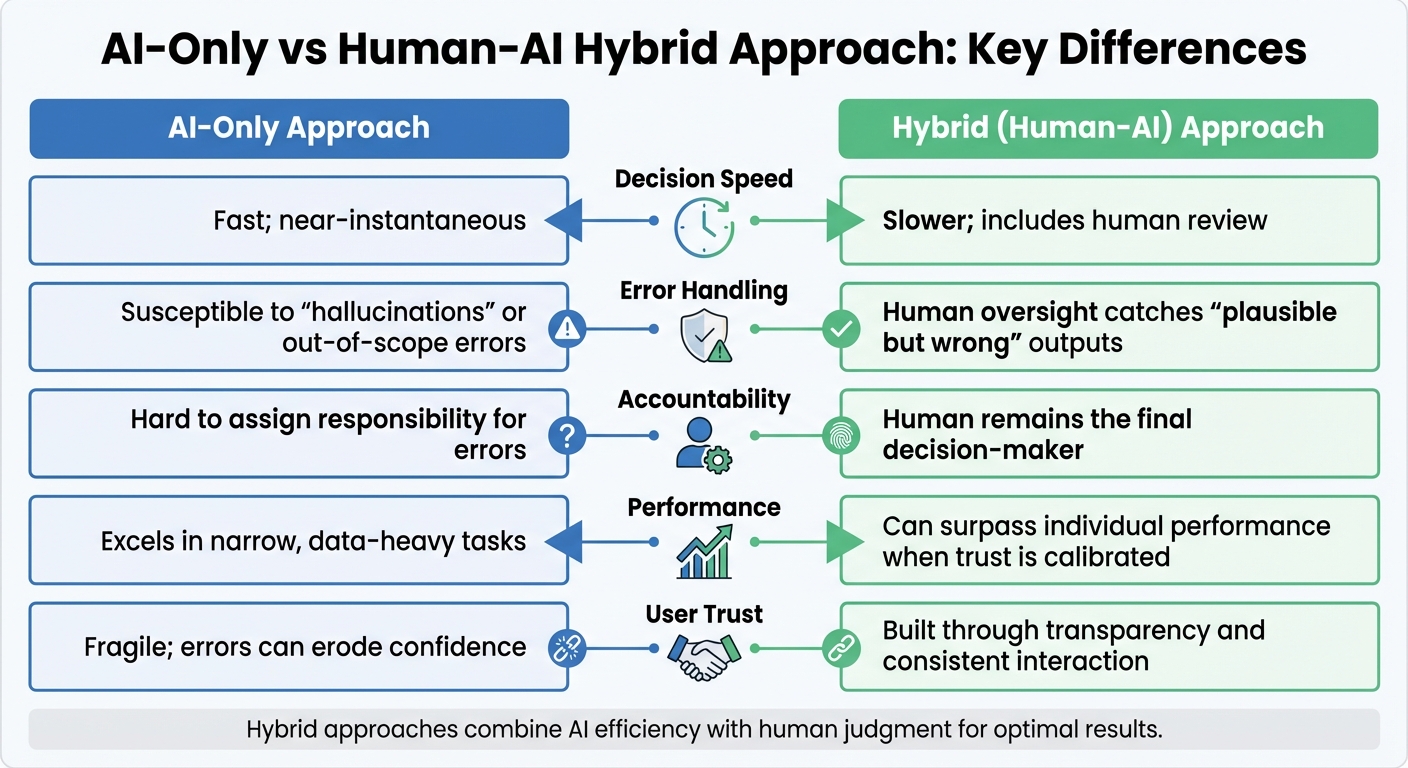
AI-Only vs Human-AI Hybrid Approach Comparison
To tackle the challenges of AI integration, it’s crucial to design systems that empower users. This means creating workflows that allow users to trust AI when it’s accurate but also override it when necessary. Striking this balance is key to ensuring AI is both helpful and reliable [17][9].
This approach requires a mindset shift. Instead of hiding AI’s limitations to make it appear "seamless", workflows should reveal the reasoning behind decisions, helping users make informed choices. The challenge lies in balancing transparency with usability – giving users the right amount of information without overwhelming them.
Using Explainable AI
Clear communication is central to effective AI use, and this is where explainable AI comes in. The idea is to provide users with insights into how decisions are made, but in a way that fits naturally into their workflow. As the Google People + AI Guidebook advises:
Focus primarily on conveying how the AI makes part of the experience better or delivers new value, versus explaining how the underlying technology works [7].
One effective strategy for this is progressive disclosure. During active tasks, keep explanations short and relevant, saving more detailed information for onboarding materials or help centers. Another useful approach is implementing cognitive forcing functions, which prompt users to pause and think before accepting AI suggestions. For example, an interface might require users to input their own prediction before revealing the AI’s answer or confirm they’ve reviewed key evidence [17].
For more complex decisions, Multi-Step Transparent (MST) workflows can be particularly effective. These workflows break down tasks into smaller, verifiable steps. A 2025 study involving 233 participants tested a fact-checking system (ProgramFC) that used this method. For instance, verifying a treaty’s purpose was split into three distinct checks. Participants using this step-by-step method were much better at spotting misleading AI advice compared to those who only saw a final yes-or-no answer [9].
Combining Human Judgment with AI
Another essential component of user-centered AI workflows is integrating human judgment. The most effective systems function as collaborations between humans and AI. A practical example of this is the Targeted Real-time Early Warning System (TREWS), which predicts sepsis by analyzing patient data. When clinicians combined TREWS alerts with their own expertise and confirmed the alerts within three hours, sepsis-related mortality dropped by 18.7% [4]. In this case, the AI highlighted patterns that might have been overlooked, while clinicians added critical context.
Here’s a comparison of AI-only and hybrid (human-AI) approaches:
| Feature | AI-Only Approach | Hybrid (Human-AI) Approach |
|---|---|---|
| Decision Speed | Fast; near-instantaneous | Slower; includes human review |
| Error Handling | Susceptible to "hallucinations" or out-of-scope errors | Human oversight catches "plausible but wrong" outputs [9] |
| Accountability | Hard to assign responsibility for errors | Human remains the final decision-maker [4] |
| Performance | Excels in narrow, data-heavy tasks [17] | Can surpass individual performance when trust is calibrated [9] |
| User Trust | Fragile; errors can erode confidence | Built through transparency and consistent interaction [7] |
The hybrid model shines when users can adjust the level of automation based on the task’s importance and their confidence. For high-stakes scenarios like healthcare, focus on precision by showing only high-confidence results. For less critical tasks, such as content recommendations, prioritize recall to encourage exploration [7].
Finally, design workflows that promote forward reasoning rather than backward evaluation. Instead of asking users to assess a completed AI output, integrate AI suggestions naturally into their existing tasks. This keeps users engaged and minimizes the risk of passive acceptance over time [23].
Case Study: Fixing UX Problems in an AI-Powered MVP
Finding the UX Problems
In May 2025, Sarah Tan, founder of Formatif, partnered with a travel-tech startup to tackle challenges in their AI-powered MVP. The system, designed to simplify trip planning, instead left users feeling frustrated and overwhelmed. Complaints poured in about "too many options" and "clunky forms" that made planning trips feel more like a tedious task than an enjoyable experience. Users struggled to understand the AI concierge’s capabilities, leading to confusion and dissatisfaction [24].
Observations revealed critical flaws. The AI stumbled when faced with vague prompts like "somewhere chill" or conflicting preferences such as one user seeking "cheap" options while another wanted "luxury." Without clear boundaries or explanations, users hit dead ends and couldn’t grasp what the system could or couldn’t handle [39, 40].
Armed with this feedback, the team set out to redesign the experience to better meet user expectations.
Rolling Out Improvements in Stages
After pinpointing the issues, Tan’s team focused on creating sustainable solutions by prioritizing user needs. Using a five-step Human-Centered AI methodology, they began rebuilding the system. Instead of being limited by technical constraints, they reframed problems around user frustrations and restructured data flows to reflect real-world behaviors rather than what the AI found easiest to process [24].
One major improvement was replacing traditional forms with moodboard-style inputs and conversational tools for sharing preferences. This approach shifted the interaction from simple data collection to what Tan described as a "mutual value exchange." To address ambiguous requests, the team added fallback mechanisms that asked clarifying questions, ensuring smoother interactions [24].
To avoid costly missteps, the team initially tested AI behaviors manually through decision trees and prompt logic. This allowed them to refine the system’s logic before moving to full-scale development. The final product included an adaptive itinerary builder capable of adjusting plans in real time based on weather or user mood. Clear explanations like "We picked this hotel based on your moodboard" helped build trust by making the AI’s decisions transparent – a concept discussed earlier in this article [24].
Conclusion: Building AI Workflows Users Can Trust
Designing AI workflows that users can trust isn’t about achieving perfection – it’s about creating systems that recognize their limitations and give users the tools to stay in control. The challenges discussed here – like over-automation, unclear interactions, and maintaining trust when errors occur – highlight the need for thoughtful design that prioritizes transparency and user involvement.
The ultimate aim is achieving "appropriate reliance": a balance where users confidently accept accurate AI outputs but can identify and reject errors when they arise [2][9]. This involves crafting interfaces that communicate uncertainty, allow manual overrides, and reveal the AI’s decision-making process without overwhelming users with unnecessary technical jargon.
Transparency works best when it’s layered and contextual. Users benefit from both a high-level understanding of how the AI operates and specific evidence that supports individual decisions [9]. And when mistakes happen, providing a clear and actionable recovery path is essential. As Google PAIR puts it:
The trick isn’t to avoid failure, but to find it and make it equally user-centered as the overall product [21].
FAQs
How do I prevent automation bias in my product?
To minimize the risk of automation bias, it’s important to create systems that push users to critically analyze AI-generated recommendations. Incorporate features like prompts that encourage users to question suggestions, and provide clear, straightforward explanations of how the AI reaches its decisions. Transparency about the AI’s processes is key.
Additionally, offering training on the limitations of AI can help users develop a more balanced understanding. This approach builds informed trust, ensuring users rely on AI appropriately while maintaining an effective partnership between human judgment and AI assistance.
How can AI outputs be explained simply without overwhelming users?
To help users grasp AI outputs without feeling overwhelmed, it’s essential to deliver clear and concise explanations of how conclusions are reached. Skip the technical jargon and avoid describing AI as if it thinks like a human. Instead, focus on transparency by providing context-specific insights, such as confidence levels or a brief summary of the reasoning behind decisions.
A user-friendly approach – like dashboards that visually present AI behavior – can make this information more accessible. This way, users can better understand the decisions, build trust, and stay in control without being bombarded with unnecessary complexity.
What should users be able to do when the AI is wrong?
When AI systems stumble, users need straightforward ways to address the problem. This means having manual controls to override AI decisions, transparent explanations for errors, and easy access to human support when necessary. By providing clear communication and simple ways to report issues, users can feel more confident in managing errors. These steps help build trust and create a more responsible, user-focused AI experience.






Leave a Reply